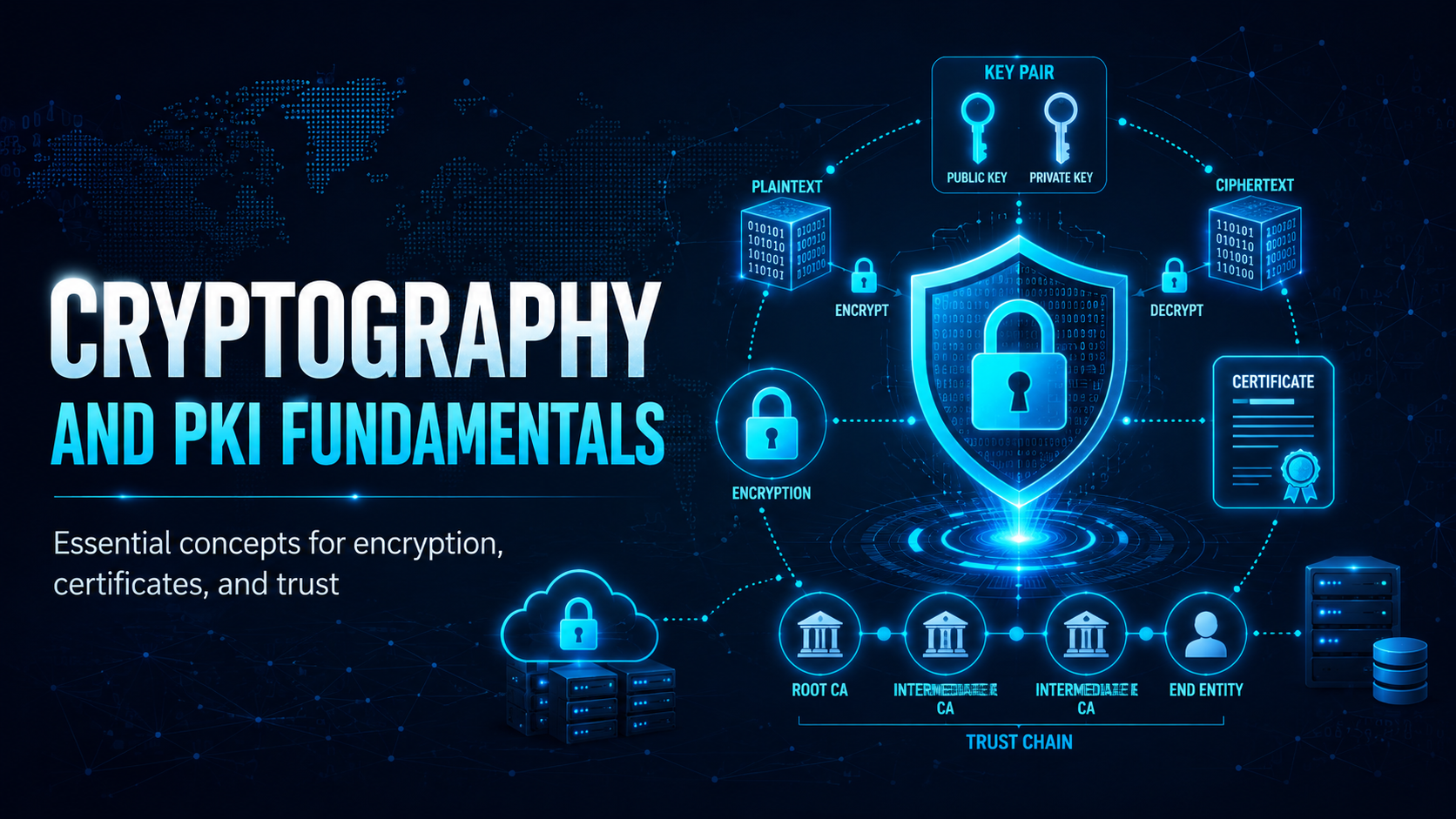
Symmetric and asymmetric encryption, hashing, digital signatures, TLS and Public Key Infrastructure, and where each one fits.
Cryptography and PKI Fundamentals
Cryptography secures information through mathematics. It sits underneath the secure connections, encrypted files and digital signatures you use every day.
Symmetric vs Asymmetric Encryption
How TLS (HTTPS) Works
When you visit https:// a site, your browser and the server perform a TLS handshake that uses both asymmetric and symmetric encryption:
Server sends its certificate containing its public key
Browser verifies the certificate is signed by a trusted Certificate Authority (CA)
Browser and server use asymmetric crypto to agree on a session key
All further communication uses fast symmetric encryption with that session key
✓ Key Point
The padlock in your browser confirms two things: (1) the connection is encrypted, and (2) the certificate was issued to the domain you’re visiting by a trusted CA. It does not mean the website is legitimate. Phishing sites get valid HTTPS certificates too, so read the domain name as well as the padlock.
Hashing vs Encryption
Property
Encryption
Hashing
Reversible?
Yes (with the key)
No, one-way only
Used for
Protecting data in transit/at rest
Storing passwords, file integrity
Example
AES-256 encrypting a file
SHA-256 hash of a file
Key required?
Yes
No
Same input = same output?
Yes (with same key)
Yes (deterministic)
⛔ Important
Passwords must be hashed, not encrypted. If you encrypt passwords, anyone who steals the encryption key decrypts the lot. Hash them instead with a slow algorithm such as bcrypt, Argon2 or scrypt, using a unique salt per password. MD5 and SHA-1 are broken and must never be used for passwords.
Certificate Lifecycle
Certificates expire and must be renewed. An expired certificate causes:
Browser warnings that drive users away
Complete loss of HTTPS protection
Potential service outage
⚠ Warning
Certificate expiry has taken banks and government services offline. Keep a certificate inventory with automated expiry alerts at 60, 30 and 7 days, so nothing lapses without someone noticing.
Mobile Techs IT Consulting
Is your data actually encrypted where it counts?
Encryption protects you only when it’s set up correctly, and an expired certificate or an unencrypted laptop undoes the rest. Mobile Techs IT Service helps Gold Coast businesses get the fundamentals right: SSL/TLS certificates managed and renewed on time, full-disk encryption on every device, encrypted backups, and secure VPNs for data in transit. Home users welcome too, on-site or remote, anywhere in Australia.