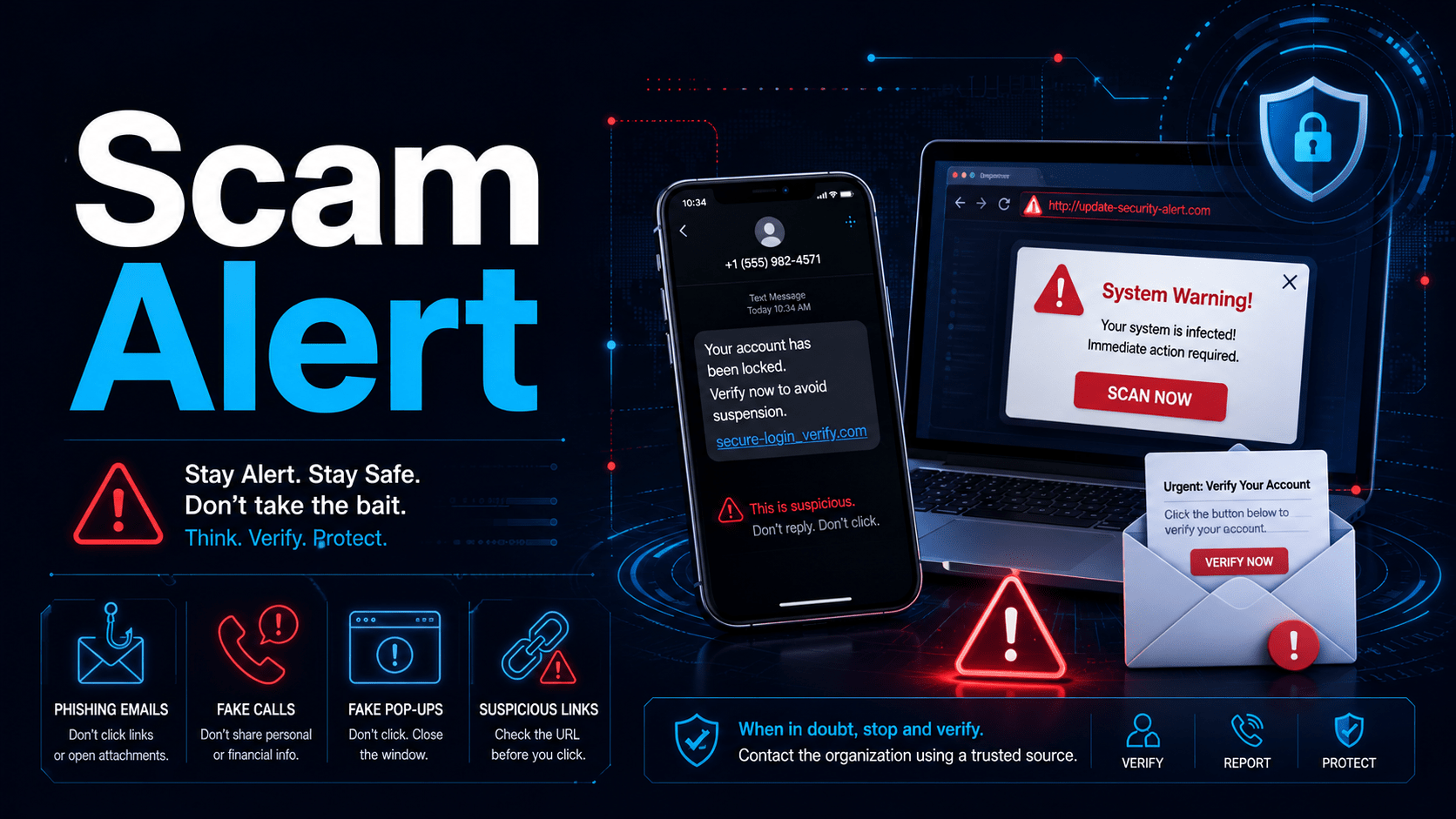
Queensland Police on the Sunshine Coast are urging residents — particularly older members of the community — to stay vigilant following a recent spike in scam reports that have cost local victims tens of thousands of dollars.
What the scammers are doing
According to a recent alert from Sunshine Coast Police, two scam patterns have been especially active in the area:
- Fake “your computer is infected” calls. Scammers phone victims claiming their computer has a virus or has been hacked. They then talk the victim into installing remote access software, which hands the criminals full control of the machine. Once connected, they log into online banking and drain accounts — in some reported cases, tens of thousands of dollars have been stolen.
- Fake bank staff calls. Callers pretend to be from the victim’s bank and claim there is a fraud investigation under way. They convince the victim to move their money to a so-called “safe account” as part of an operation to catch criminals. There is no operation — the “safe account” belongs to the scammer.
Both scams rely on urgency, authority, and confusion. The scammers sound professional, they use the right terminology, and they push hard for the victim to act immediately without checking with anyone.
How to protect yourself
- Assume unsolicited calls about “problems” with your computer are scams. Legitimate companies — including Microsoft, Apple, Telstra, the NBN, the ATO, and your bank — do not cold-call to tell you that you have a virus.
- Never install remote access software (AnyDesk, TeamViewer, UltraViewer, Supremo, etc.) because someone rang you and asked you to. If you didn’t initiate the call to a trusted provider, don’t install anything.
- Never move money to a “safe account.” No bank, no police officer and no government agency will ever ask you to do this. It is always a scam.
- Ask questions. If the person on the phone dodges questions, pressures you, or won’t give details you can independently verify, hang up.
- Hang up and call back on a known number. Look up your bank or provider’s number yourself — from the back of your card, an old statement, or their official website — and call them directly. Do not use any number the caller gives you.
- Talk to someone before you act. A quick conversation with family, a friend, or a trusted technician has stopped many scams in their tracks.
Think you may have been compromised? Mobile Techs IT Consulting can help
If you have let someone remotely access your computer, entered banking details after a suspicious call, or you’re simply not sure whether something you did was safe, don’t wait. The sooner your device and accounts are checked, the better the chance of limiting any damage.
Mobile Techs IT Consulting is available to help Sunshine Coast residents and businesses assess and clean up potentially compromised computers, remove remote access software, review what may have been exposed, and get you back to a secure state. We can also help you notify your bank and change passwords safely.
Only ever contact us on our main line: 1300 644 588
Important: Legitimate support from Mobile Techs IT Consulting is only ever provided when you call our main phone line on 1300 644 588.
- If you receive a call from an unknown number claiming to be from Mobile Techs — hang up and call us back on 1300 644 588.
- If someone messages, emails, or texts you claiming to be from Mobile Techs and asks you to install software or hand over passwords or banking details — do not act on it. Call us on 1300 644 588 to verify first.
- If you are ever in doubt about whether a call, message, or technician is genuinely from Mobile Techs — call 1300 644 588 and check. We would much rather take a quick verification call than see a customer scammed.
Reporting scams
If you or someone you know has been targeted or has lost money to a scam, report it to Policelink on 131 444 and to Scamwatch at scamwatch.gov.au. In an emergency, always call Triple Zero (000).
This article is based on a public safety alert issued by Sunshine Coast Police – Click here for the original article. Please share it with family members, friends, and neighbours — particularly older loved ones — who may be targeted by these scams.