How fake “Microsoft” calls and scare pop-ups trick people into granting remote access or paying for phantom repairs — and how to shut them down safely.
Tech Support Scams — Fake Calls and Browser Pop-ups
Tech support scams are among the most-reported scams in Australia, and they succeed because they impersonate the people you’re supposed to trust: Microsoft, your bank, your telco, or “your IT department”. The goal is always the same — get you to hand over remote control of your computer, your passwords, or your money.
The Two Classic Openings
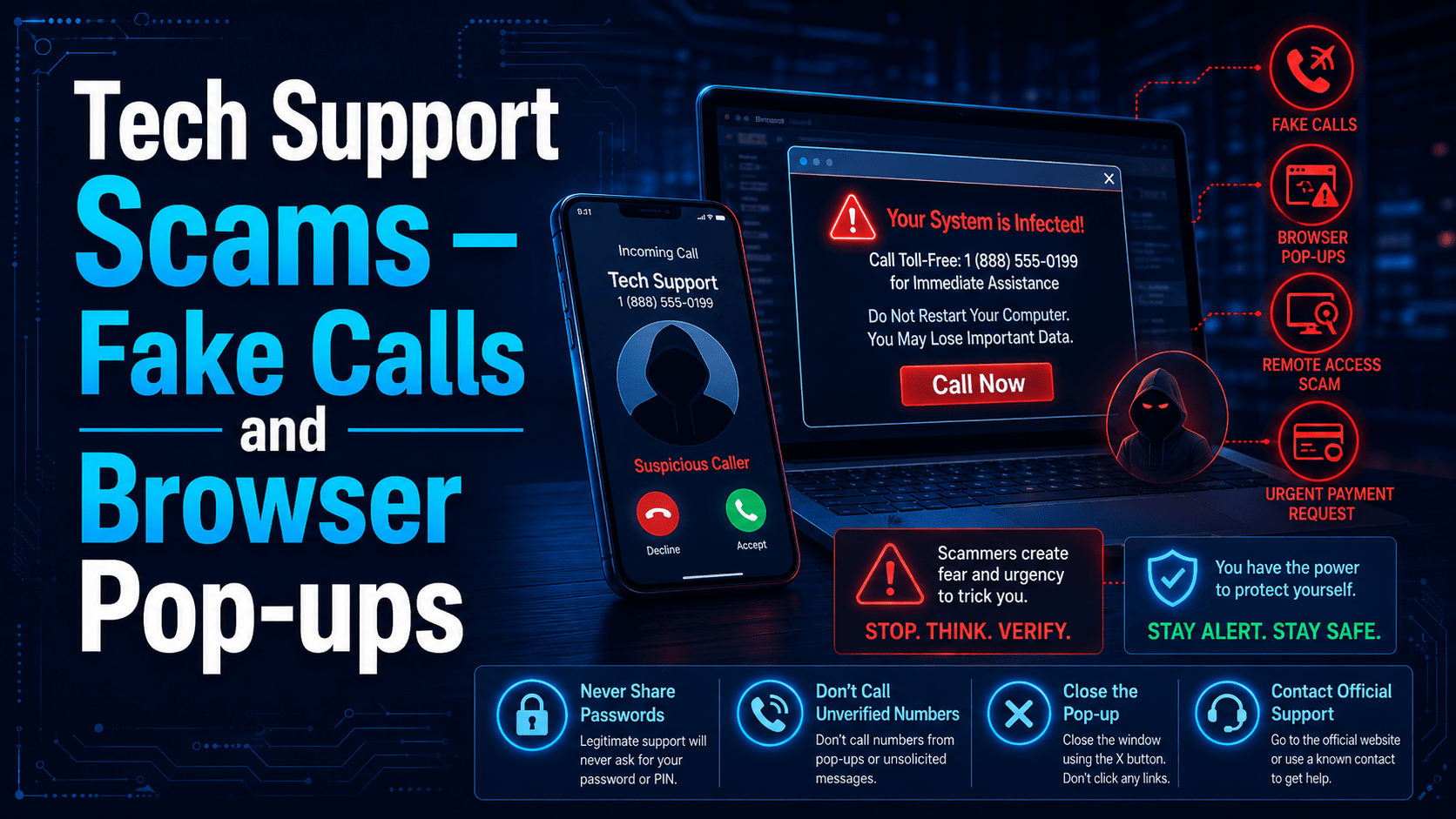
1. The cold call. The phone rings: “Hello, this is Microsoft technical support. We’ve detected a virus on your computer.” Sometimes it’s “your internet provider”, the NBN, or even “the fraud team at your bank.” The caller is confident, patient, and helpful.
2. The scare pop-up. While browsing, the screen suddenly fills with flashing warnings — sometimes with a robotic voice — declaring your PC infected or “blocked”, telling you not to close the window, and displaying a toll-free number to call. Some fake a Windows crash screen; some make the browser fullscreen so it looks like the PC is locked.
⛔ Important
Microsoft does not call you. Ever. Neither does Apple, Google, your antivirus vendor, or the NBN — none of them monitor your PC or proactively phone about infections. And no legitimate security warning ever shows a phone number to call. A phone number in a “virus alert” is a 100% reliable scam indicator.
What Happens If You Engage
The script is well-rehearsed:
- “Proof” of infection — they walk you through opening Event Viewer or a system tool that always shows routine errors, presented as evidence of compromise.
- Remote access — they have you install a legitimate remote-control tool (AnyDesk, TeamViewer, LogMeIn, and others). These tools aren’t malware — which is exactly why they’re used. Once connected, they control your computer.
- The payoff — a fee for “repairs”, a fake “refund” where they doctor your online banking screen and pressure you to send back an “overpayment”, installed malware or password stealers, or files quietly copied off the machine.
⚠ Warning
The refund scam deserves special mention: the scammer “accidentally refunds too much” — by editing the numbers displayed in your browser — then pressures you to urgently return the difference by bank transfer or gift cards. The “extra money” never existed. Anyone asking you to buy gift cards to fix a computer or banking problem is a scammer, without exception.
What To Do Instead
For scare pop-ups:
- Don’t call the number. Don’t click anything inside the page — including its fake “Close” buttons.
- Close the browser. If it resists: press
Escto leave fullscreen, orCtrl+Shift+Escto open Task Manager and end the browser there. On a Mac, useCmd+Option+Escthen Force Quit. - Don’t reopen restored tabs when the browser restarts.
- Report it to IT — especially if you clicked, called, or downloaded anything.
For cold calls:
- Hang up. It isn’t rude — it’s the correct procedure. You can’t be tricked by a call you’ve ended.
- Never install remote access software at the request of an inbound caller.
- Verify independently if you’re worried: call your IT team, bank, or provider on a number you look up — never one the caller gives you.
✓ Key Point
Know how your real IT support works: how they contact you, what tool they use for remote access, and how to reach them. A genuine technician will never be offended if you say “let me hang up and call the service desk to verify.” A scammer will pressure you not to.
If You Already Let Someone In
It happens — scammers are professionals at manipulation. Act quickly and don’t be embarrassed:
- Disconnect the computer from the network (unplug the cable / turn off Wi-Fi).
- Call IT immediately — the machine needs to be checked and the remote tool removed.
- Change passwords from a different device, starting with email and banking.
- Contact your bank if any payment or banking access was involved.
- Report the scam — in Australia, to Scamwatch and ReportCyber.
The faster you report, the more damage can be prevented. The only truly costly mistake is hiding it.