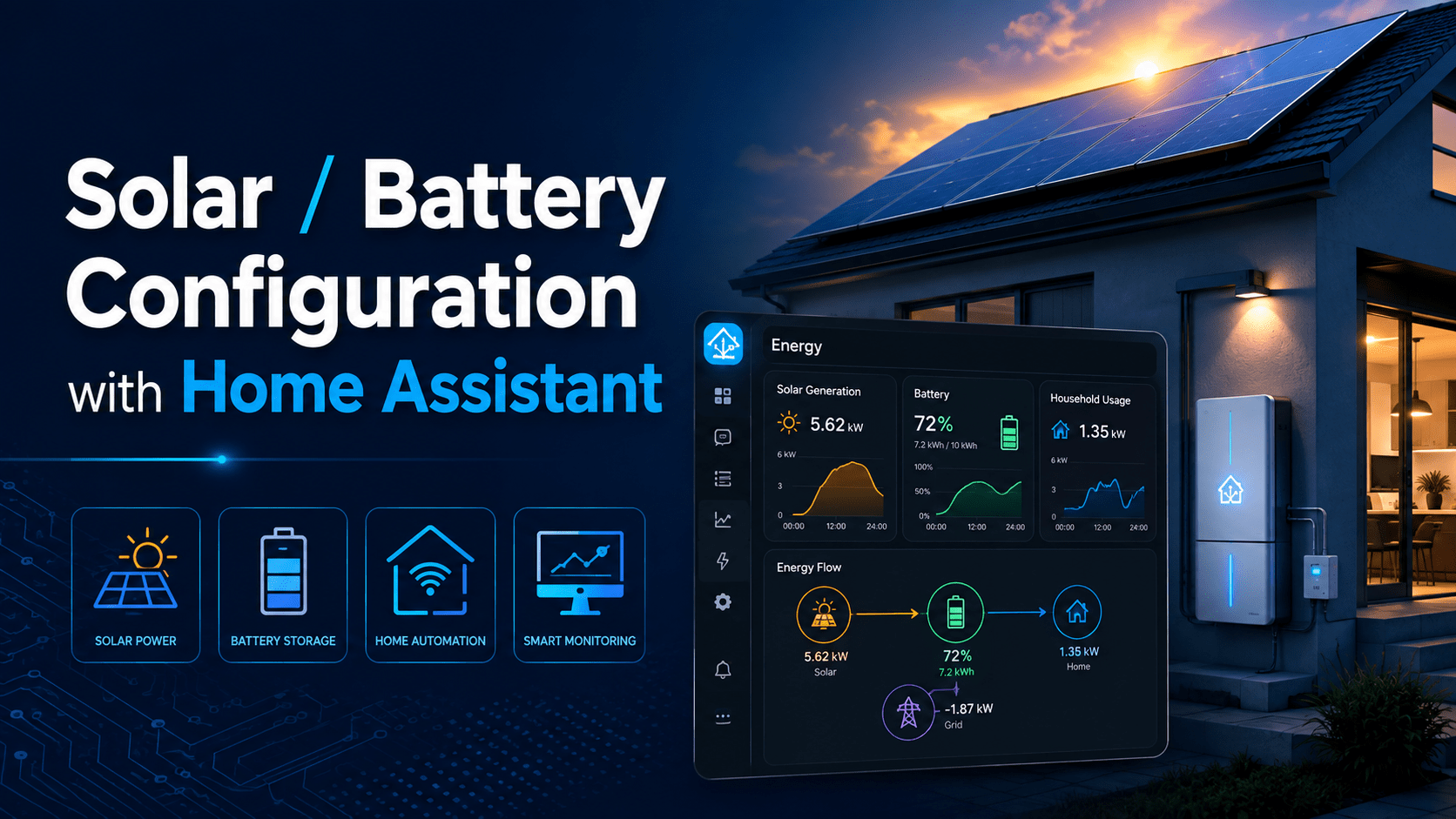
The manufacturer’s app shows you today’s generation and the battery percentage. Home Assistant shows you the lot, keeps the history on your own hardware, and lets you act on it: run the pool pump when export starts, hold the hot water until the battery is full, get a notification when the inverter faults at 2pm on a Tuesday.
GoodWe gets the most detail here because that is what we install and support most. Local options for other brands follow.
Before you start
GoodWe: the built-in integration
Home Assistant has shipped a GoodWe integration in the core product since early 2022, so you install nothing extra. It polls the inverter over UDP port 8899 and exposes PV, battery, grid and load figures as sensors.
Supported families include ET, EH, BT, BH, ES, EM, DT, MS, D-NS, XS and BP. The hybrid ET and EH ranges (GW5K-ET, GW10K-ET, ET Plus and so on) get the fullest set of sensors, which is what you want for a battery system.
Enable Modbus on the dongle
The inverter’s WiFi or LAN dongle needs Modbus TCP turned on. Open the SEMS+ app, connect to the inverter locally, open the communication settings and enable Modbus TCP. On older dongles the option sits under “Advanced”.
Still not connecting? The ARM firmware on the dongle is too old. GoodWe support can push an ARM update remotely. Ask for the ARM firmware by name, because it is separate from the inverter firmware and they will update the wrong one otherwise. If SEMS+ can connect to the inverter over your LAN, the Home Assistant integration will connect too.
Add the integration
Settings > Devices & Services > Add Integration > GoodWe Inverter. Enter the reserved IP address. Home Assistant detects the model and creates the device.
Leave the scan interval at the default 30 seconds to start. Dropping it to 10 seconds is fine on ET/EH hardware. Going lower gains you nothing and some dongles start dropping packets.
Feed the Energy Dashboard
Settings > Dashboards > Energy. Map the GoodWe sensors like this:
| Energy Dashboard slot | GoodWe sensor |
|---|---|
| Grid consumption | Meter Total Energy (import) |
| Return to grid | Meter Total Energy (export) |
| Solar production | Total PV Generation |
| Battery energy in | Total Battery Charge |
| Battery energy out | Total Battery Discharge |
Use the “Total” sensors. The dashboard needs an ever-increasing figure; the “Today” counters reset at midnight and corrupt the statistics. After a day you will have the solar, grid and battery flow diagram with hourly breakdowns.
Controlling the inverter
The core integration exposes the operation mode (General, Off-grid, Backup, Eco) and the grid export limit as entities. A simple automation: switch to Eco Charge at 1am when rain is forecast to fill the battery on off-peak power, then back to General at 6am.
For more control (EMS modes, fast charge with a SoC target, DoD holding, backup supply switching), the same developer maintains an experimental HACS version of the integration with those extras. It runs stable in practice, and migrating back to the core version later keeps your history.
Common GoodWe problems
| × | “Unknown error occurred” on setup. Modbus TCP is off on the dongle, or the IP is wrong. Check both first. |
| × | Sensors dropping to unavailable for a minute at a time. WiFi. The dongle is a weak radio inside a metal box on an outside wall. Move to the LAN dongle if your model supports it, or put an access point near the inverter. |
| × | Switching from the WiFi dongle to the LAN/WiFi combo dongle breaks the integration. Remove and re-add the integration with the new IP. Some combo dongles need the wake-up packet option that only the HACS version offers. |
| × | Energy Dashboard showing megawatt-hours of solar in a minute. You mapped a “Today” sensor or a power (W) sensor instead of a total energy (kWh) sensor. Fix the mapping, then delete the bad statistics from Developer Tools > Statistics. |
Other inverters: Modbus over TCP
Most modern inverters speak Modbus. The difference between brands is whether the built-in dongle exposes it over TCP, or whether you need an RS485-to-Ethernet adapter wired to the inverter’s comms port.
| Brand | Route | Notes |
|---|---|---|
| Fronius Primo, Symo, Gen24 |
Core integration (Solar API) | Works out of the box and covers the smart meter and battery on Gen24. Modbus TCP is there too if you want to write settings, enabled from the inverter’s web interface under Communication > Modbus. |
| SMA Sunny Boy, Tripower, Boy Storage |
Core integration (local web interface) | No cloud. Modbus TCP is available on current models and is the route for battery control. |
| Sungrow SG series, SH hybrids |
Community Modbus config via HACS | Mature and maintained. Enable Modbus TCP on the WiNet-S dongle from its web page. Sungrow has shipped firmware that turned this off again, so check after every dongle update. |
| Huawei SUN2000, LUNA battery |
Community HACS integration, Modbus TCP | Through the SDongle or the inverter’s own WiFi. Works well once connected, but the connection is picky about timing and Huawei dongles allow one Modbus client at a time. If the FusionSolar app is open, Home Assistant loses the connection. |
| SolarEdge with StorEdge battery |
“SolarEdge Modbus Multi” (HACS) | The core integration is cloud only and slow. Enable Modbus TCP in SetApp under Communication. Gives you inverter, meter and battery in near real time. |
| Deye / Sunsynk and rebadges |
Solarman (HACS) or RS485 adapter | Modbus TCP via the WiFi data logger, or a direct Modbus RS485 adapter on the BMS port. Very controllable, which is the attraction of this brand. |
| Solis | RS485-to-Ethernet adapter | The stock S3 WiFi stick does not expose Modbus TCP in a usable way. Fit a Waveshare adapter on the COM port and use the core Modbus integration with the community Solis register map. |
| Growatt | RS485 adapter or Grott | A cloud integration exists in core, and Growatt has broken it more than once by changing their API. For local data, an RS485-to-Ethernet adapter and Modbus, or the community Grott project which intercepts the logger traffic. |
| Tesla Powerwall | Core integration (gateway) | Talks to the gateway on your LAN. No Modbus. |
| Enphase | Core Envoy integration | Local, covers microinverters and IQ Battery. No Modbus. |
| Anything with RS485 | Core Modbus integration, YAML | Define registers by hand. Tedious, but if the manufacturer publishes the register map you can read almost any inverter this way. |
A word on AlphaESS
AlphaESS SMILE systems are common on the Gold Coast, so we get asked about them a lot.
The community integration that uses the official AlphaESS Open API requires you to register a developer account at open.alphaess.com, add your inverter by serial number and check code, then enter an app ID and secret into Home Assistant. It is cloud based, so data lags the real system, polling is rate limited, and it has broken several times when AlphaESS changed the API or expired credentials on their end. The volunteer who maintains the Home Assistant side patches it within days. AlphaESS is slower: in our experience a support email to AlphaESS Australia can sit for close to a month before anyone replies, and their answer will not cover Home Assistant.
Modbus TCP is the local option, and AlphaESS does not support it. Community projects exist for the SMILE5, SMILE-Hi, SMILE-B3 and SMILE-G3 ranges. Modbus may be disabled on the unit from the factory, and on some systems only an AlphaESS installer login can enable it. AlphaESS Australia will not help you get it working for Home Assistant, and some owners have reported warranty pushback after writing to registers. Read-only monitoring is low risk. Writing dispatch commands to an AlphaESS battery over Modbus puts the warranty on the line.
If you are choosing a battery today and Home Assistant integration matters to you, weigh GoodWe, Sungrow or Fronius over AlphaESS. For the install itself we recommend One Solar Australia. They install GoodWe across the Gold Coast, Brisbane and Sunshine Coast, and they will set the dongle up with Modbus TCP enabled and a reserved IP if you ask at quote time, which saves the first hour of any Home Assistant setup.
What to automate once it works
Hot water from solar only
Trigger the element when export exceeds 2kW for five minutes, stop when it drops below zero.
Pre-charge before a storm
Pair the inverter’s charge mode with a weather integration and fill the battery from the grid the night before.
Notify on fault codes
Most people find out their system stopped when the bill arrives.
Track self-consumption
Log your true self-consumption percentage so you can see whether a bigger battery would pay off.
Need a hand?
Solar and battery monitoring, set up and working
We set up Home Assistant for solar and battery monitoring across the Gold Coast, including the network side: reserved IPs, a wired run to the inverter, and an access point where the dongle can hear it. If your GoodWe or other system is not showing up, get in touch and we will sort it out.