How insider threats occur, the warning signs to watch for, and how to protect your organisation.
Insider Threats
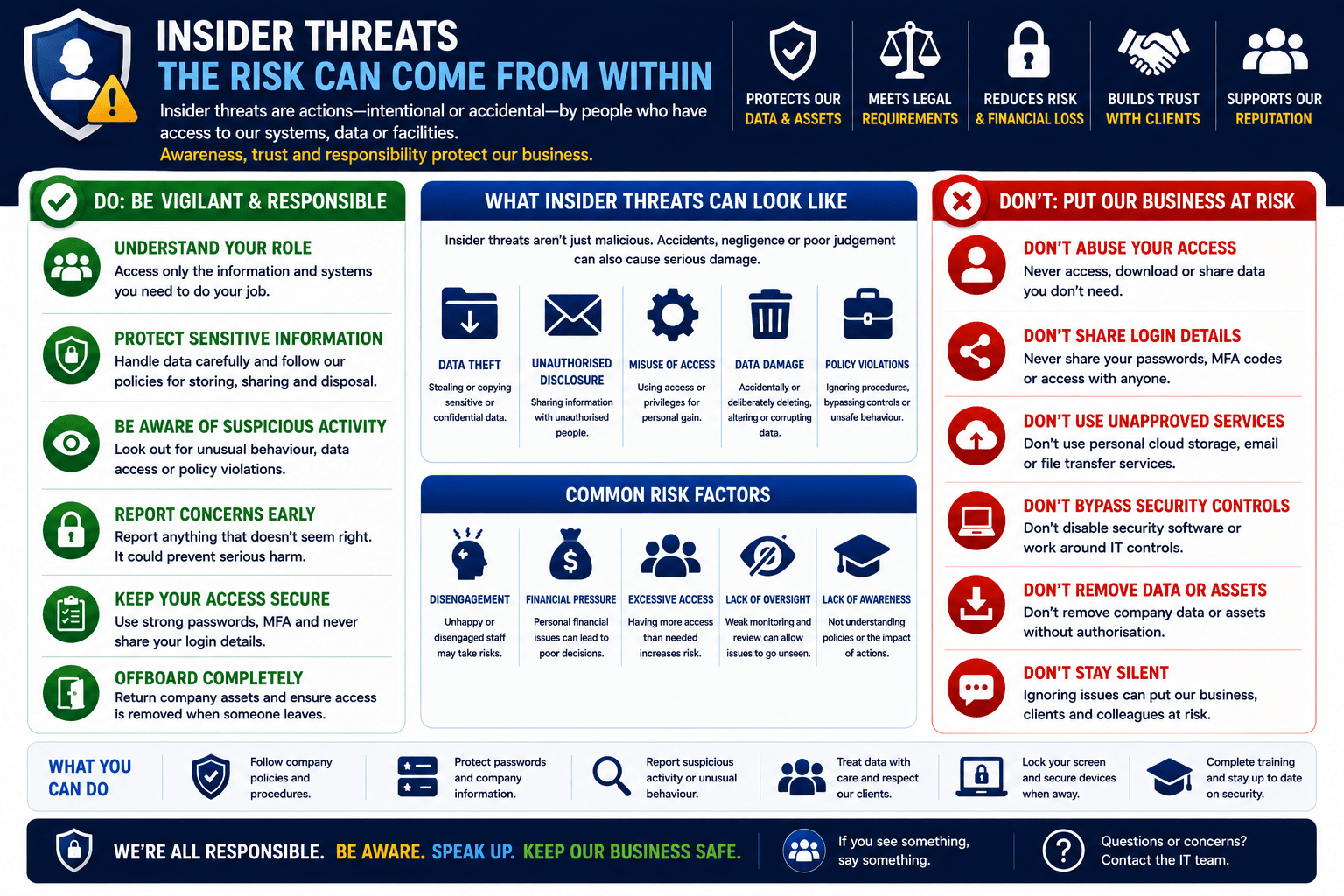
An insider threat comes from within the organisation: current or former employees, contractors, or business partners who hold authorised access to systems and data.
Types of Insider Threats
Insider threats fall into a few broad categories: malicious insiders who intentionally steal or sabotage; negligent insiders who accidentally expose data through carelessness (the most common type, and the most fixable with training); compromised accounts where an external attacker controls a legitimate employee login; and departing employees who copy data on their way out, which spikes in the final two weeks.
Why Insider Threats Are Hard to Detect
- Insiders already hold legitimate access, so there is no “break-in” to detect
- Malicious activity looks like normal work
- Colleagues trust each other, so nobody questions unusual actions
- Detection requires behavioural analytics that many smaller organisations lack
Warning Signs
| Behavioural | Technical |
|---|---|
| Unexplained interest in data outside their role | Mass file downloads or USB copies |
| Downloading large data shortly before resignation | Emailing large attachments to personal email |
| Accessing systems at unusual hours | Use of unauthorised cloud storage (Dropbox) |
| Expressing grievances about the organisation | Access to systems unrelated to current role |
| Circumventing security controls “for convenience” | Accounts logging in from multiple locations simultaneously |
⚠ Warning
Data exfiltration spikes in the two weeks before a resignation. Monitor for unusual data movements when an employee gives notice, as a standard security control rather than a punishment. If you notice a colleague copying large volumes of files before leaving, report it to your manager or security team.
Protective Controls
- Principle of least privilege. Access only to what the role requires
- Separation of duties. No single person controls an entire sensitive process
- Offboarding procedures. Revoke access on the employee’s last day
- Data Loss Prevention (DLP) tools. Detect and block large data transfers
- Audit logging. Who accessed what, and when
- Positive culture. Employees who feel valued are less likely to act maliciously
✓ Key Point
If you observe suspicious behaviour from a colleague, whether large file copies, unusual access patterns or stated intent to take company data, report it through the correct channel (manager, HR, or security team). Do not confront the person directly. Insider threat investigations require proper handling to protect evidence and legal process.
Mobile Techs IT Consulting
Would you know if data walked out the door?
Most businesses cannot answer that, because the logging that would show it was never turned on. Mobile Techs helps Gold Coast businesses put the basics in place: least-privilege access, audit logging that records who touched what, alerting on unusual data movement, and offboarding that revokes access on the day someone leaves rather than months later. Home users welcome too, on-site or remote, anywhere in Australia.
Book an access reviewTalk to us first
Call 1300 644 588 · office@mobiletechs.com.au
More on our managed IT services and remote security audit.