What counts as a security incident, why reporting matters, and how to report without fear.
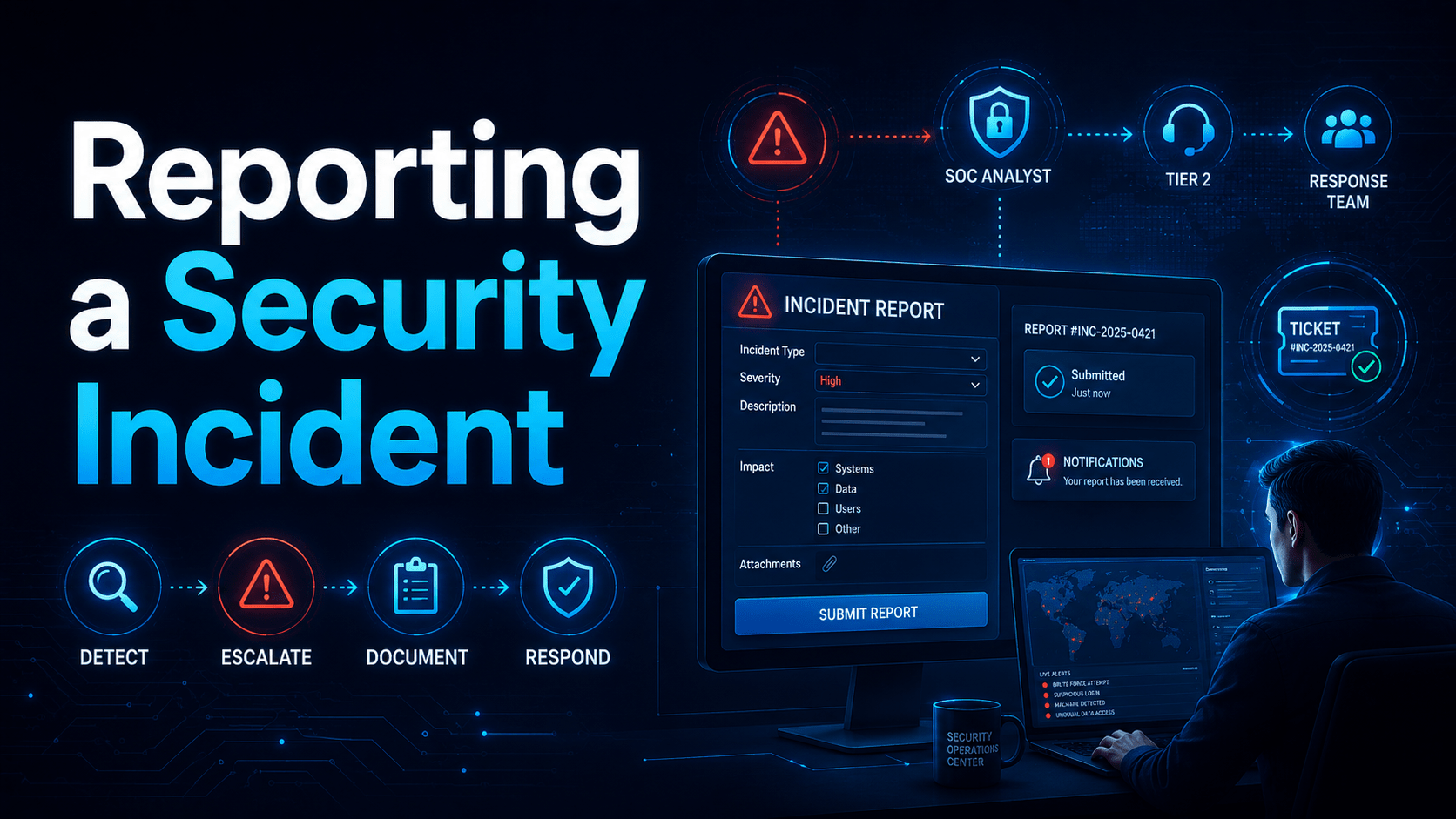
Reporting a Security Incident
The Incident Reporting Decision Flow
What Counts as a Security Incident?
| Situation | Report? |
|---|---|
| Clicked a phishing link | YES, immediately |
| Entered credentials on a suspicious site | YES, immediately, change password too |
| Received unexpected MFA push requests | YES, your password may be compromised |
| Found a USB drive and plugged it in | YES, malware may have executed |
| Lost or had a work device stolen | YES, device must be remotely wiped |
| Emailed sensitive data to wrong person | YES, potential notifiable data breach |
| Noticed unusual activity on your account | YES, possible account compromise |
| Suspicious email you didn’t interact with | REPORT IT, use the “Report Phishing” button |
The Cost of Delayed Reporting
Barriers to Reporting (and Why They Are Wrong)
How to Report
- The “Report Phishing” button in Outlook or Gmail (if configured)
- Your IT helpdesk phone number or email
- A dedicated security@yourcompany email address
- Your manager, who escalates to IT
- What happened and when
- What you clicked, opened, or entered
- Any unusual behaviour you observed afterwards
Mobile Techs IT Consulting
Something looks wrong right now?
Clicked something you shouldn’t have, or seeing activity you can’t explain? Every minute matters. Mobile Techs IT Service provides rapid incident response for Gold Coast businesses: containment, password resets, malware removal and recovery, with no blame and no judgement. We can also set your business up before anything goes wrong: clear reporting channels, a simple incident plan, and staff who know what to do. Home users welcome too, on-site or remote, anywhere in Australia.
Get incident help now Talk to us first
Call 1300 644 588 · office@mobiletechs.com.au
More on our managed IT services and remote security audit.