Evil-twin hotspots, fake captive portals and auto-join: what public Wi-Fi exposes, and why your phone’s hotspot is the better option.
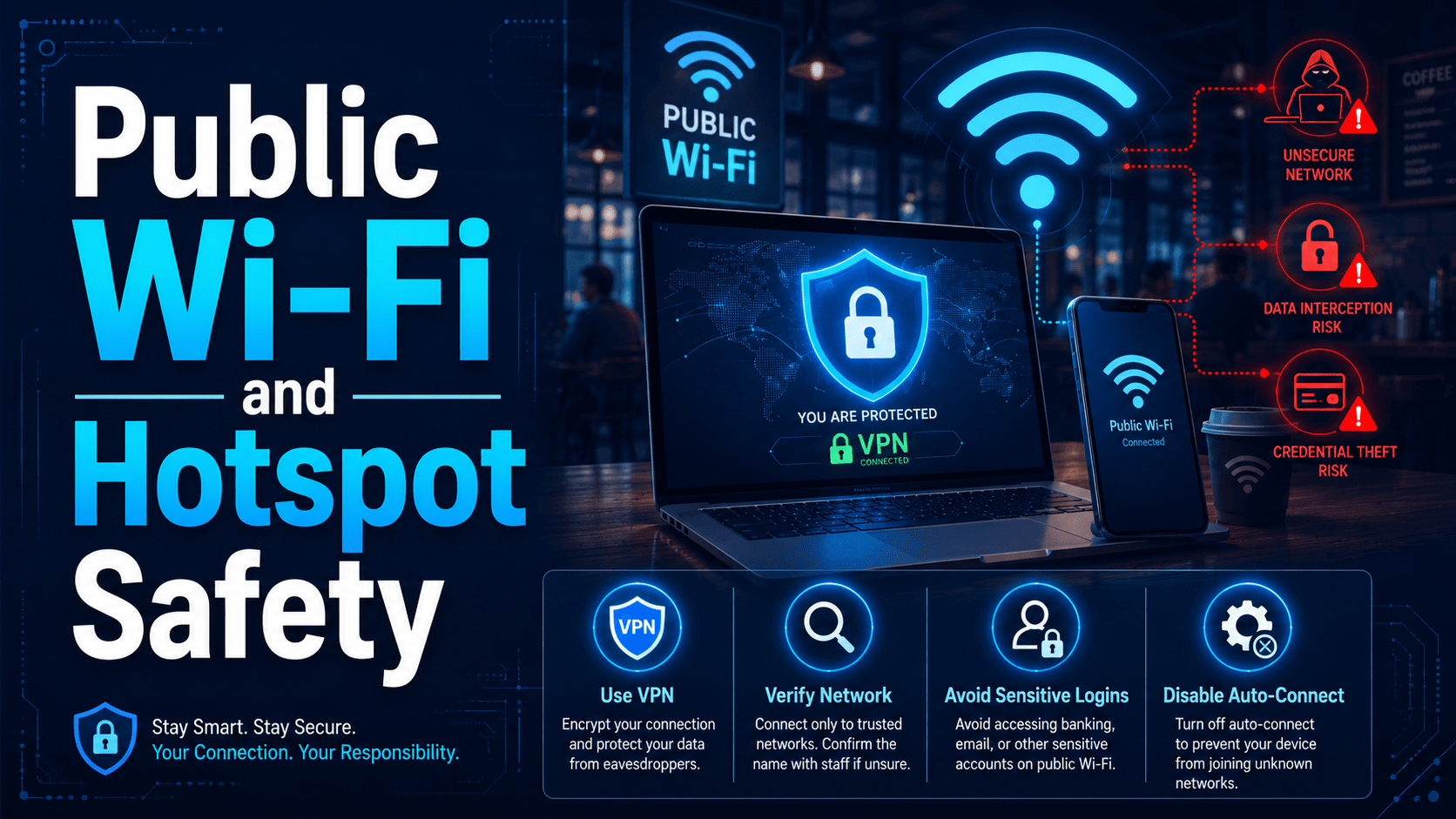
Public Wi-Fi and Hotspot Safety
Free Wi-Fi at the café, airport, hotel or conference centre is fine for reading the news. The trouble starts when you work there, because you are sharing infrastructure with strangers and you have no idea who is running it.
The Real Risks
Good news first: nearly all serious websites now use HTTPS, which encrypts traffic between your browser and the site. The classic movie scene of a hacker “reading all your passwords” from café Wi-Fi is mostly obsolete. The actual risks today:
Evil twin hotspots. Anyone can broadcast a network called
Airport_Free_WiFi or CafeGuest from a laptop or a pocket-sized device. Your device happily connects to the strongest signal with a familiar name. The attacker then controls your gateway: they see every site you visit (even with HTTPS they see where, if not what), can serve you fake captive portals and login pages, and can nudge you toward malicious downloads (“Update required to connect”).Fake captive portals. That “log in to use the Wi-Fi” page is a perfect phishing opportunity: portals asking you to “sign in with email”, enter payment details, or install a certificate or app should end the session immediately.
Auto-join betrayal. Your device remembers every open network it’s ever used and rejoins anything with a matching name — automatically, silently, in your pocket. An attacker broadcasting common hotspot names collects auto-connections all day.
Snooping on the stragglers. Anything still unencrypted — old apps, some internal tools, misconfigured mail clients — is readable by whoever runs the network.
⚠ Warning
Devices on public Wi-Fi are also visible to each other. Make sure your device treats public networks as Public (Windows will ask; choosing “Public” disables file sharing and discovery). A laptop happily advertising shared folders on hotel Wi-Fi is inviting trouble.
The Hierarchy of Options
From best to worst, when working away from the office:
| Option | Verdict |
|---|---|
| Your phone’s hotspot (4G/5G) | Best. A network you control, encrypted by default, no strangers on it |
| Known network + company VPN | Good. VPN encrypts everything to the company, whoever runs the Wi-Fi |
| Public Wi-Fi, HTTPS only, nothing sensitive | Acceptable for casual browsing |
| Public Wi-Fi for banking, admin logins, client data | Avoid — do these on hotspot or VPN |
| Any network asking you to install software/certificates | Never. Disconnect and report |
Phone hotspots deserve special praise: mobile data is cheap, tethering takes seconds, and it removes the entire category of rogue-network risk. For anything sensitive, it should be your reflex.
Practical Habits
- Prefer your phone’s hotspot for real work — it’s a network you own.
- Use the company VPN whenever you’re on Wi-Fi you don’t control, if provided. It wraps all your traffic in encryption, whatever the network does.
- Verify the network name with staff before connecting — exact spelling matters; evil twins rely on plausible names.
- Turn off auto-join for public networks, and periodically prune the remembered-networks list on your devices.
- Mark public networks as “Public” so sharing and discovery are off.
- Never install anything to get online — no certificates, no apps, no “connection utilities”.
- Save sensitive tasks — banking, payroll, admin consoles — for the hotspot, the VPN, or the office.
✓ Key Point
Hotel and conference Wi-Fi deserves the same suspicion as café Wi-Fi — a guessable password shared with hundreds of guests provides essentially no protection from the other people on the network. “It has a password” is not the same as “it’s private.”